How to Use the Accoro App?
Accoro is an easy-to-use app designed to help you manage your business from your phone. You can track sales, purchases, stock, customers, suppliers, and more — all in one place. Just follow the steps below with the help of screenshots to set up your business, add products, and start recording your daily transactions. Whether you're working online or offline, Accoro keeps your data safe and organized.
-portrait.png)
1. Install the App
Go to your phone’s app store, search for Accoro, then download and open the app.
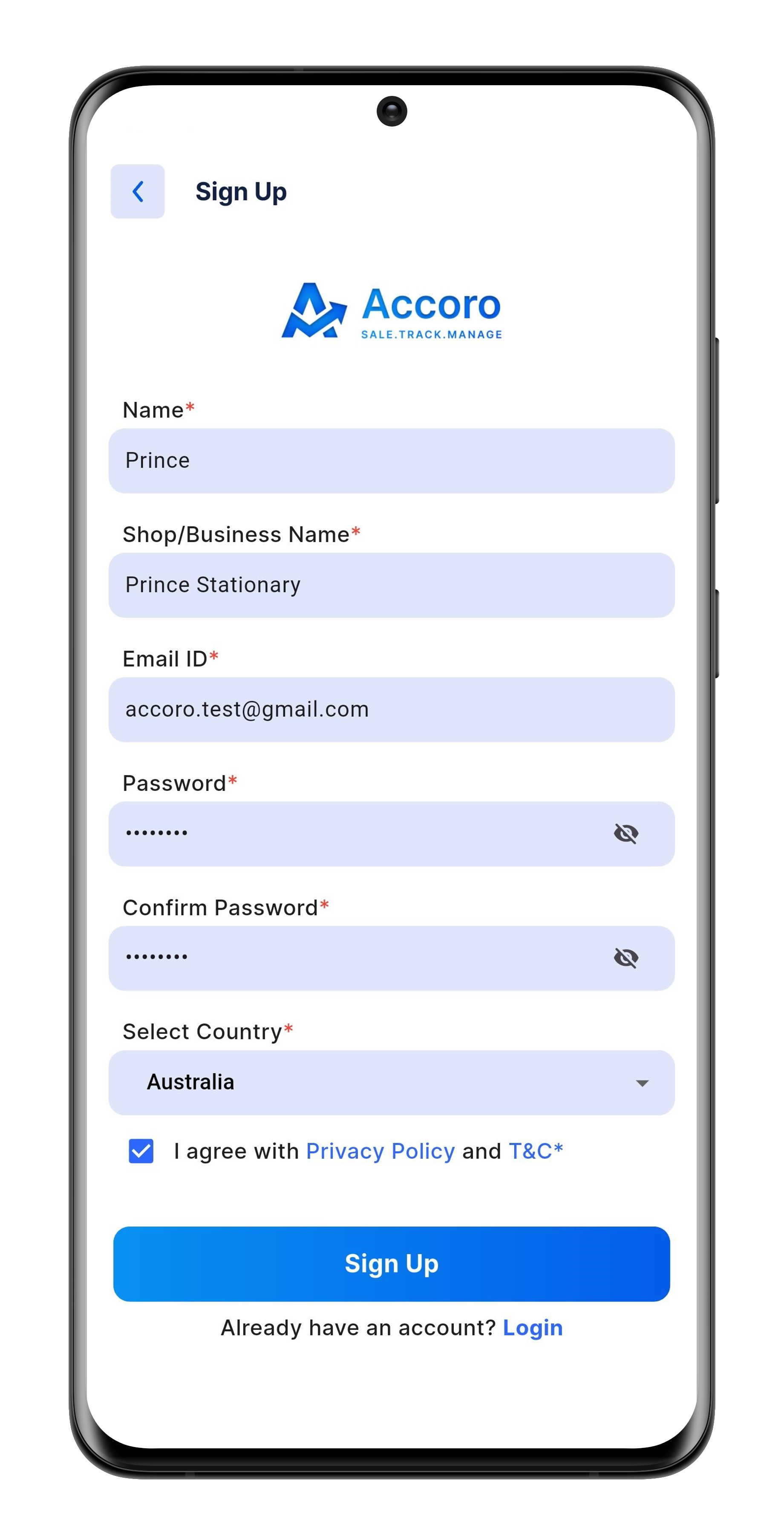
2. Register Your Business
Enter your name, add your shop or business name, and fill in your email, location, and country. Selecting your country will automatically set your local currency.
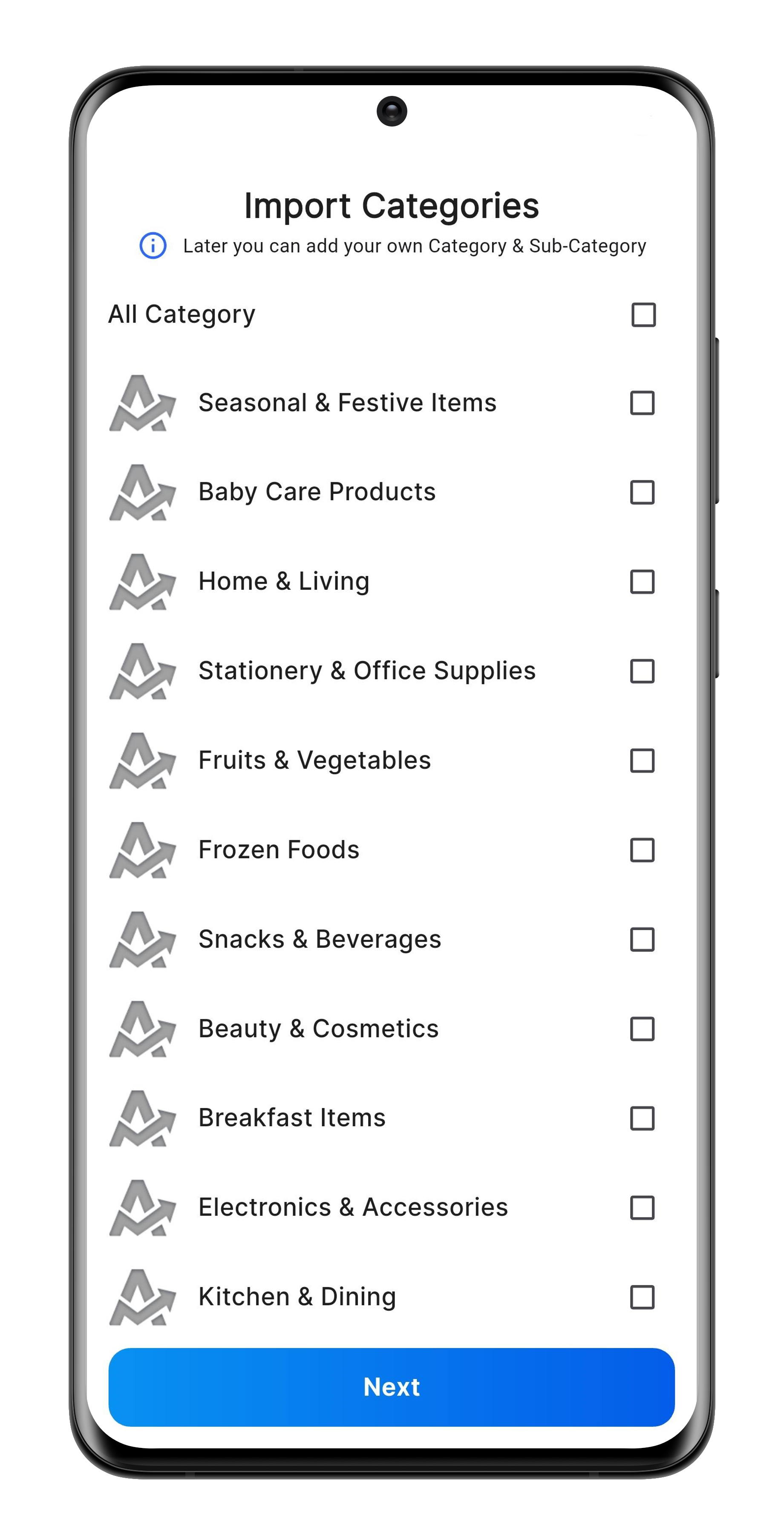
3. Select Categories
Pick your main categories from the stored list. The matching sub-categories will load automatically.
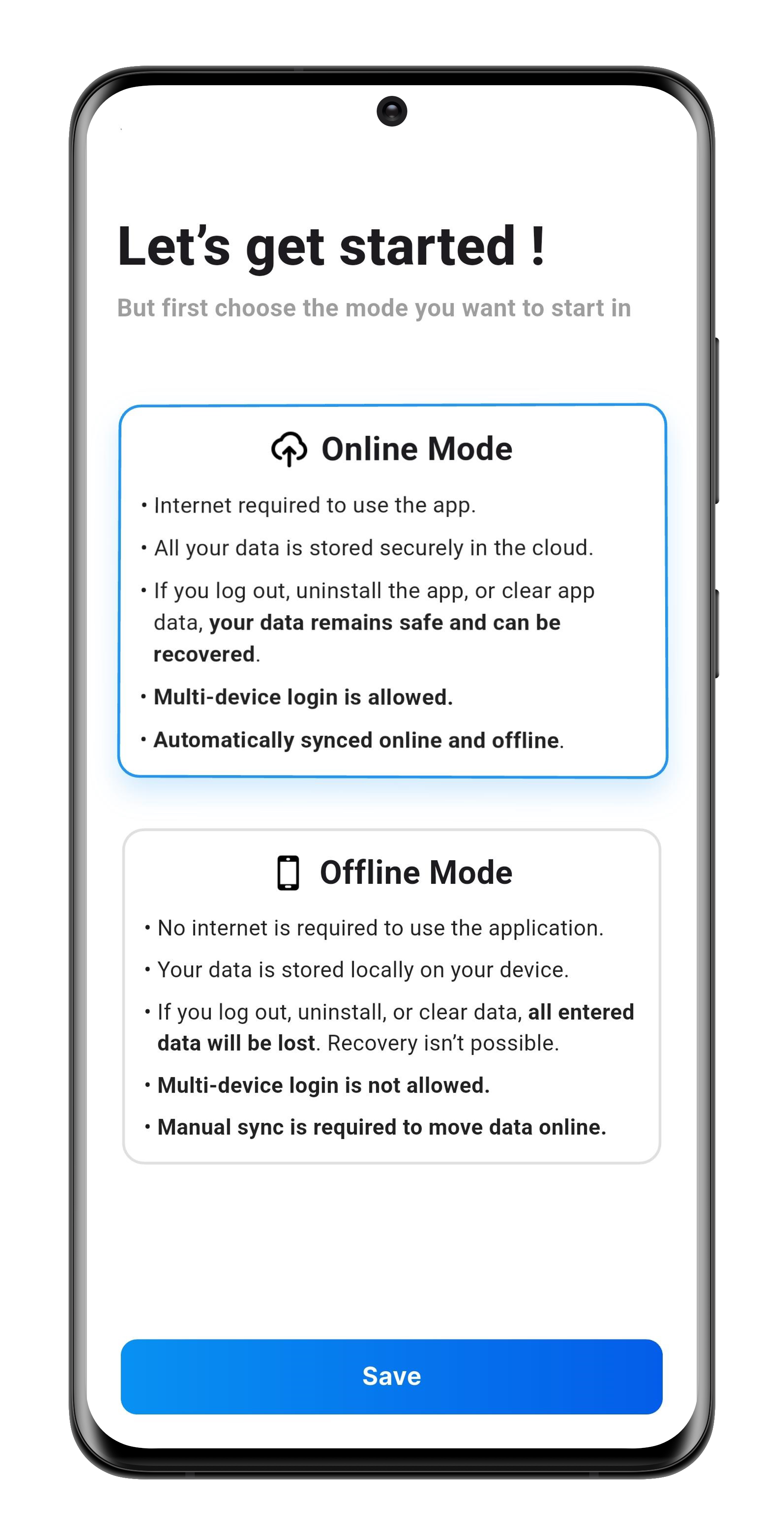
4. Choose How to Work
Choose Online Mode (green light) to save data both online and offline, or Offline Mode (grey light) to save only on your device. Always sync before logging out, uninstalling, or switching devices.
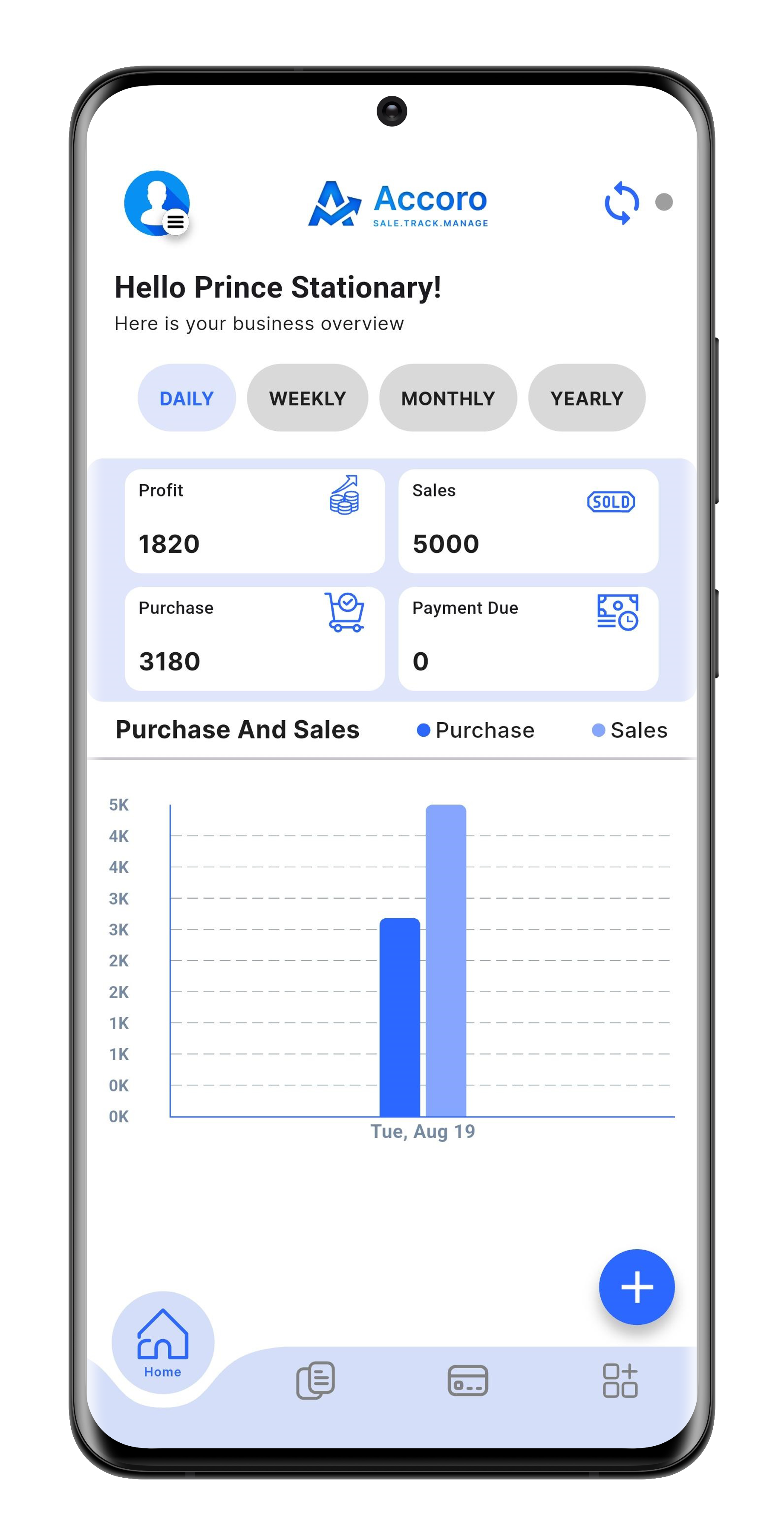
5. Check the Dashboard
The dashboard displays your profile, purchases, sales, and any customer payment due.
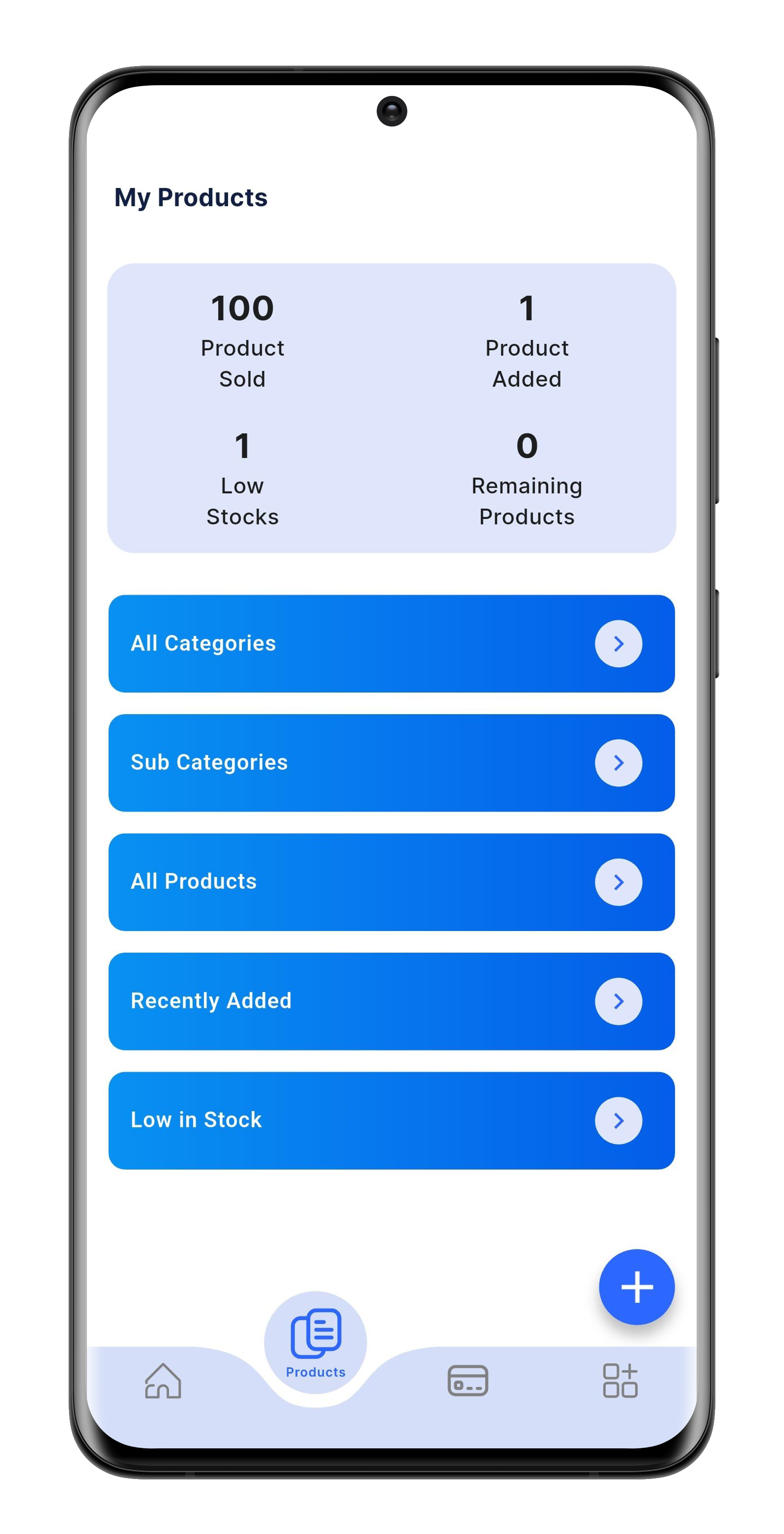
6. Add Products & Categories
You can create categories and sub-categories, and then add each product along with its details.
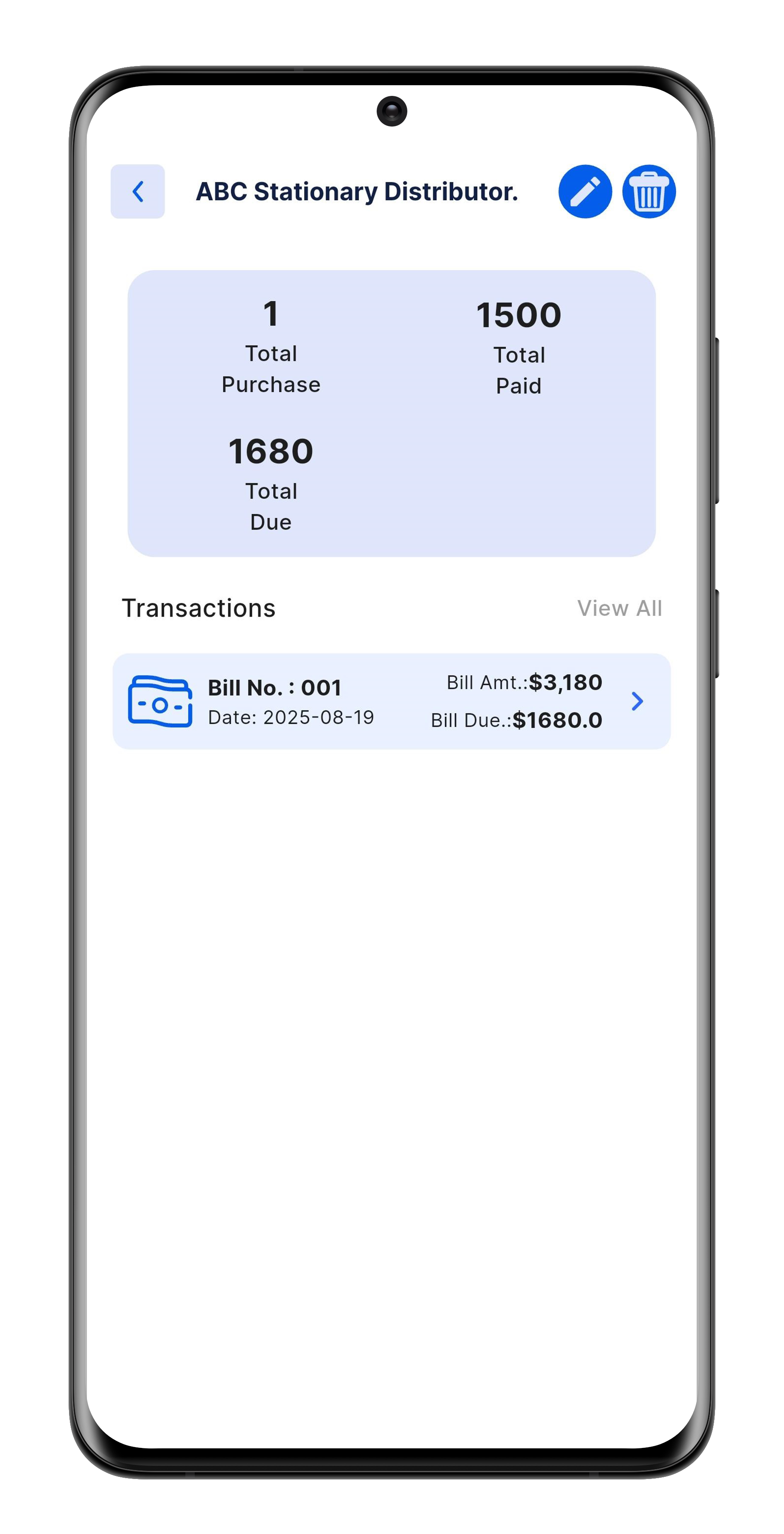
7. Manage Suppliers
Add supplier details, view their transaction history, and edit or delete information as needed.
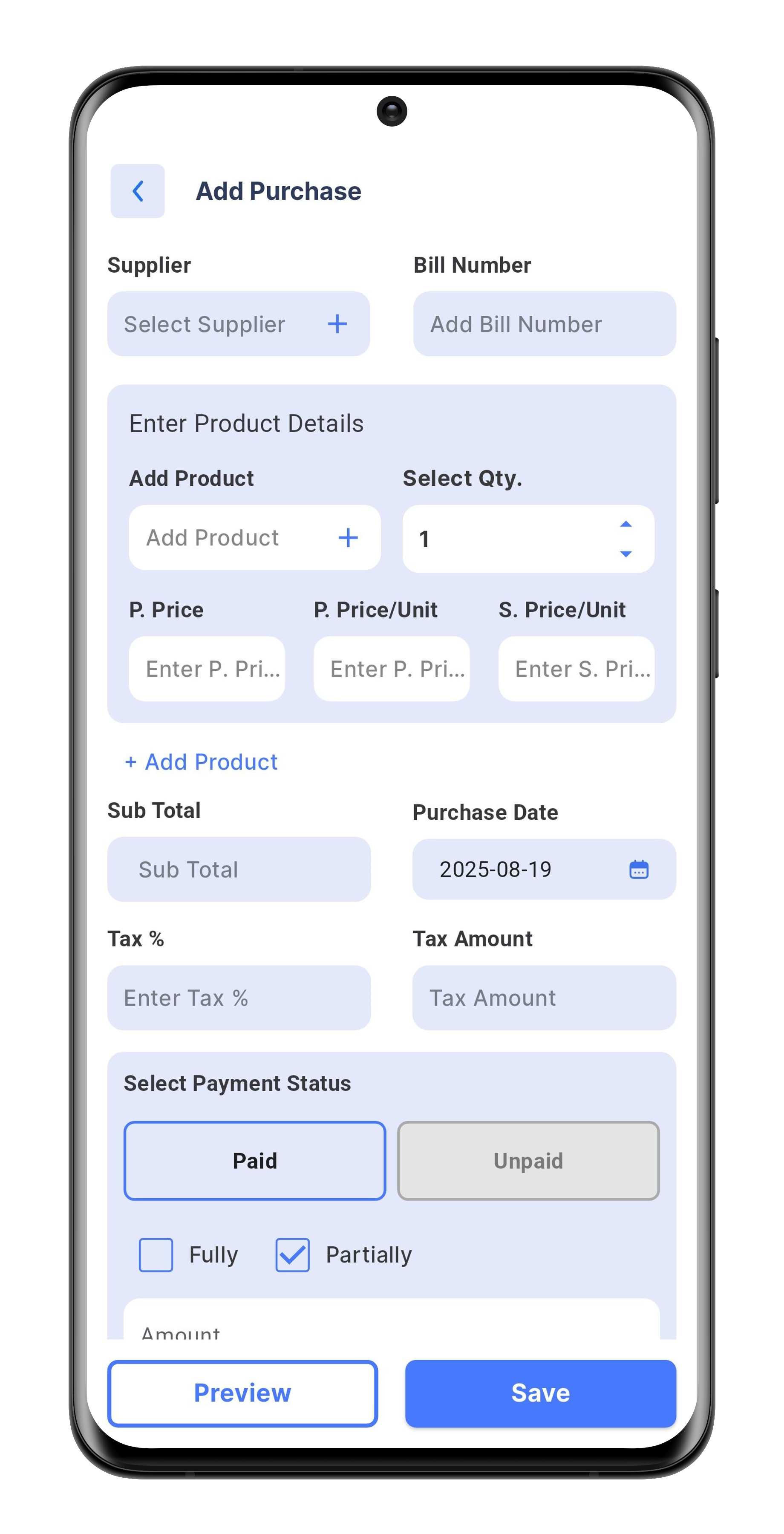
8. Add Purchases
Record everything you buy for the business.
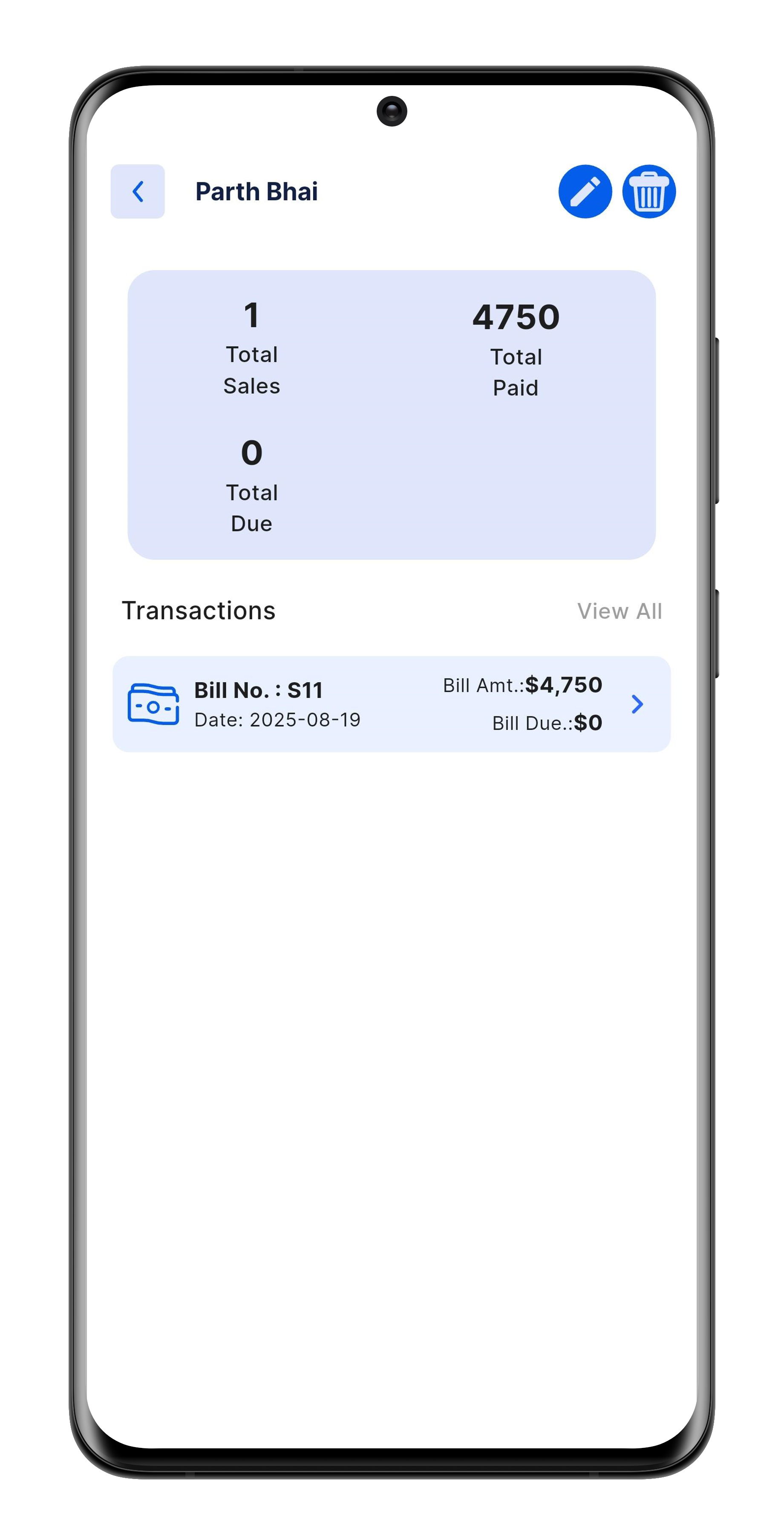
9. Manage Customers
Add new customers details, view their transaction history, and edit or delete customer as needed.
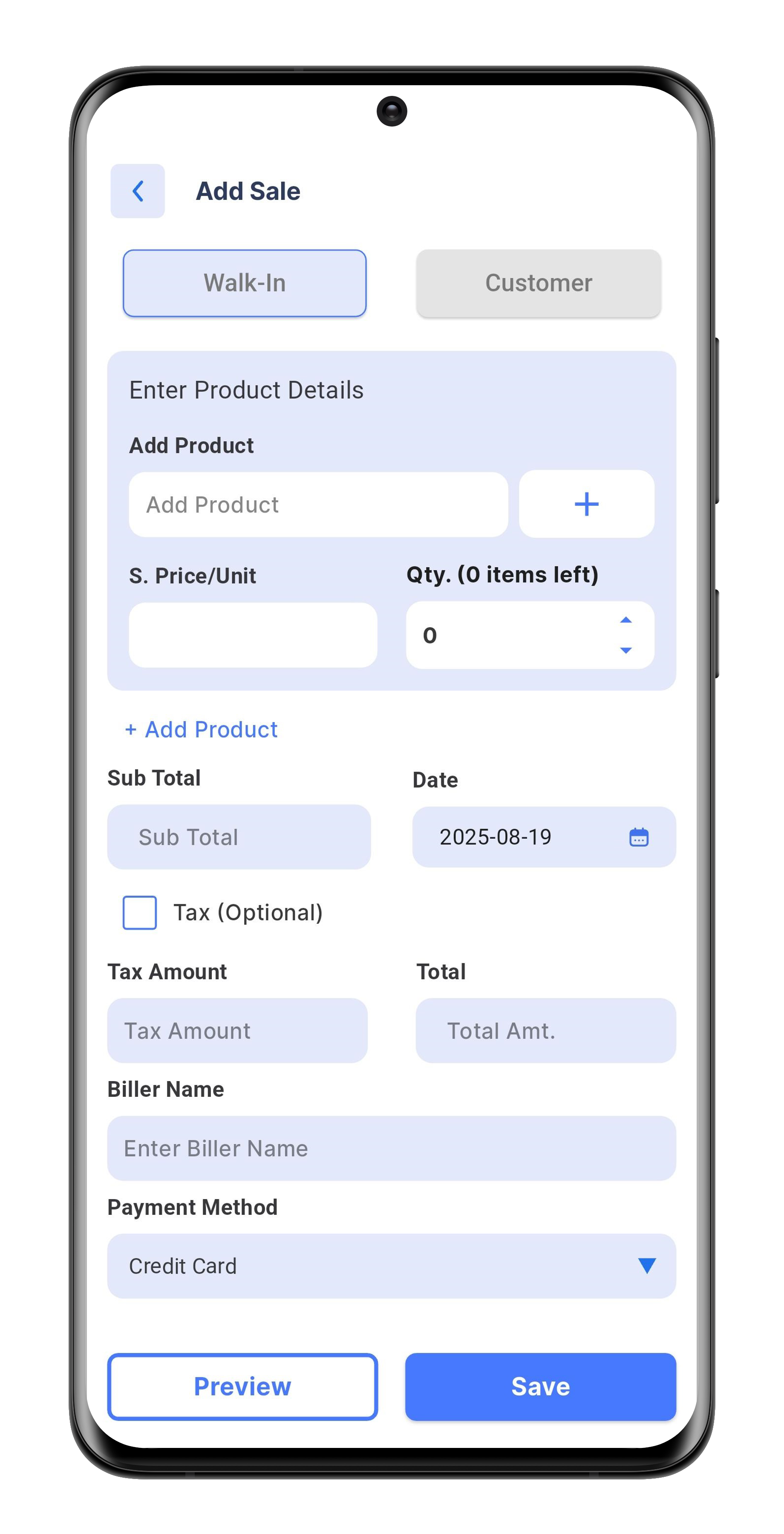
10. Add Sales
Record all the items or services you sell.
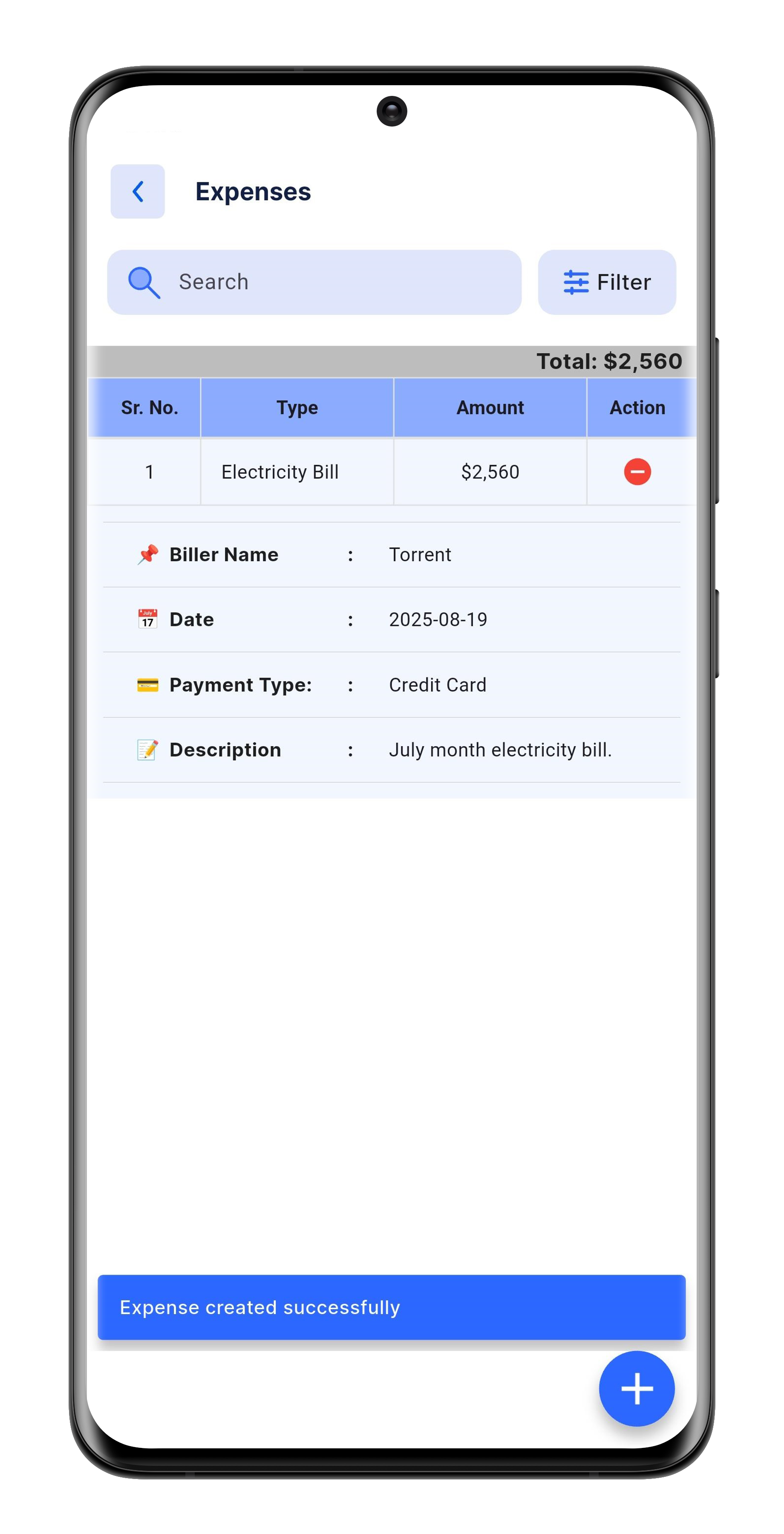
11. Track Expenses
You can view all your expenses by type, and click the "+" button to add new expenses.
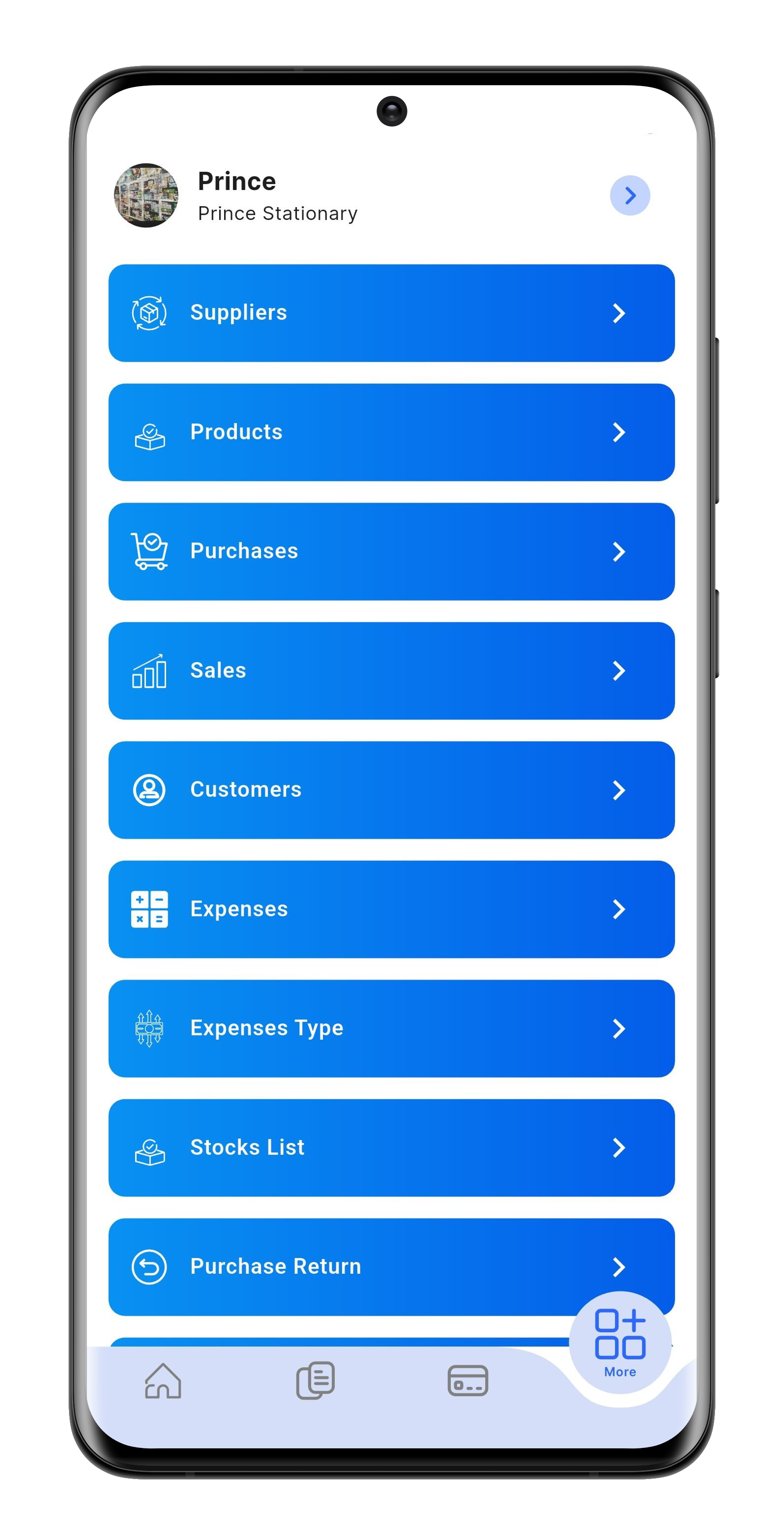
12. More Options
The app provides access to your profile, supplier list, products, purchases, sales, customers, expenses, returns, statements, and stock list — all in one place.
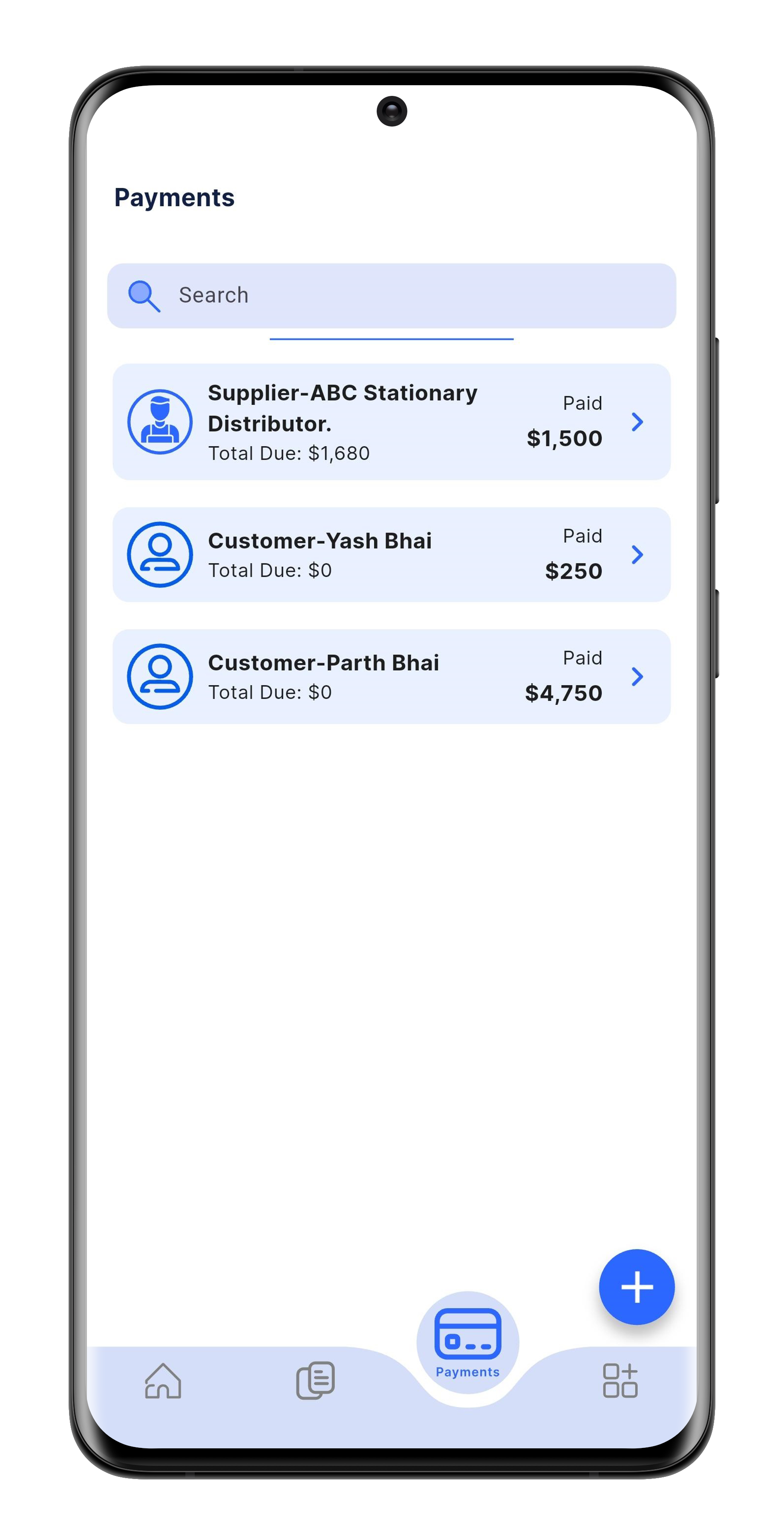
13. Payments
You can manage payments from customers as well as to suppliers.
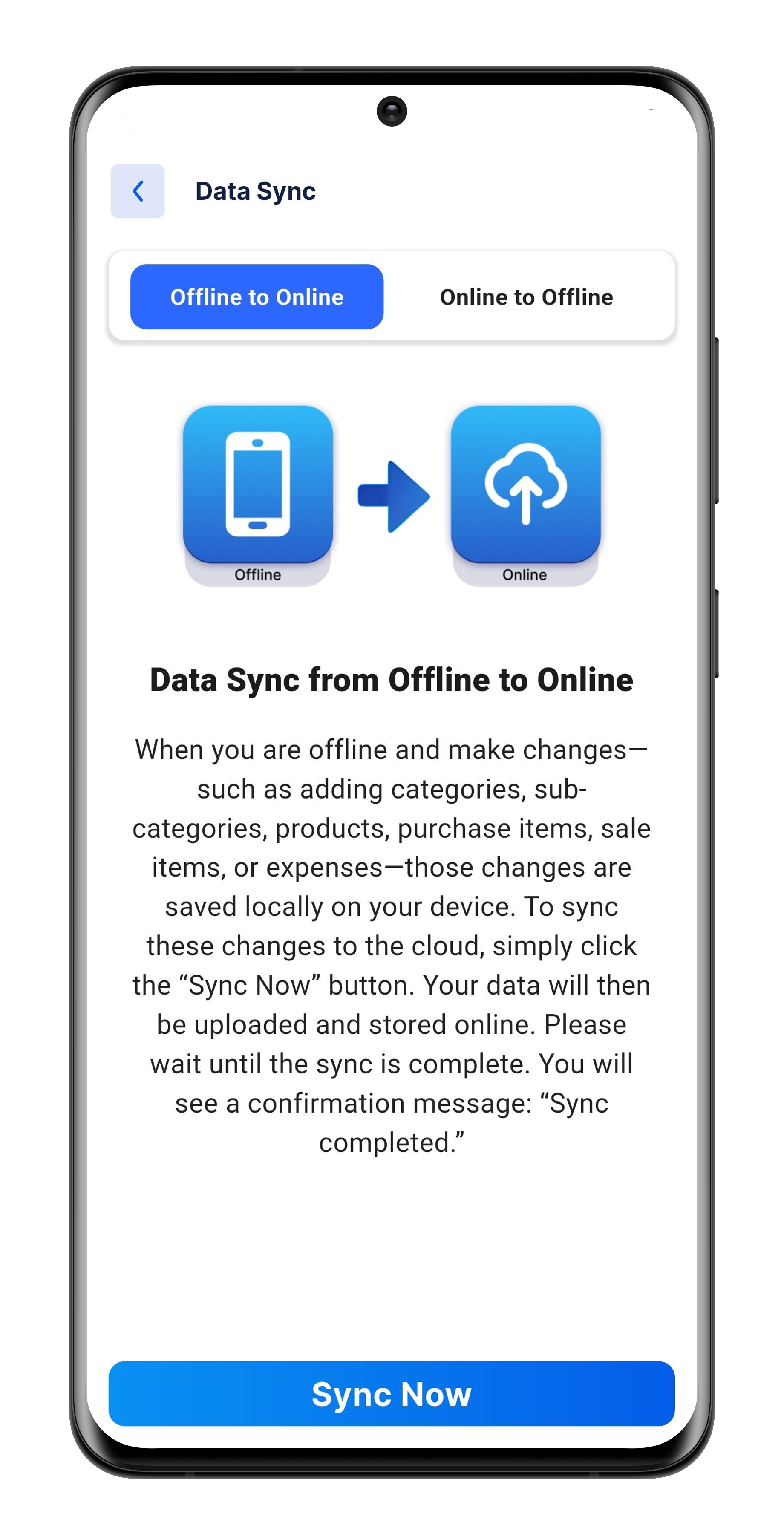
14. Sync Your Data
Syncing moves your data between offline and online storage. If you're using offline mode, make sure to sync your data daily to keep it safe.